Add locations to your photos —
automatically.

Photos transferred via AirDrop, saved from Messages, or imported from other devices often arrive without GPS coordinates. PhotoLocationWizard finds the right location for each one and lets you confirm in a tap.

Download on the App Store

iOS 16 and later

Your library, mapped.

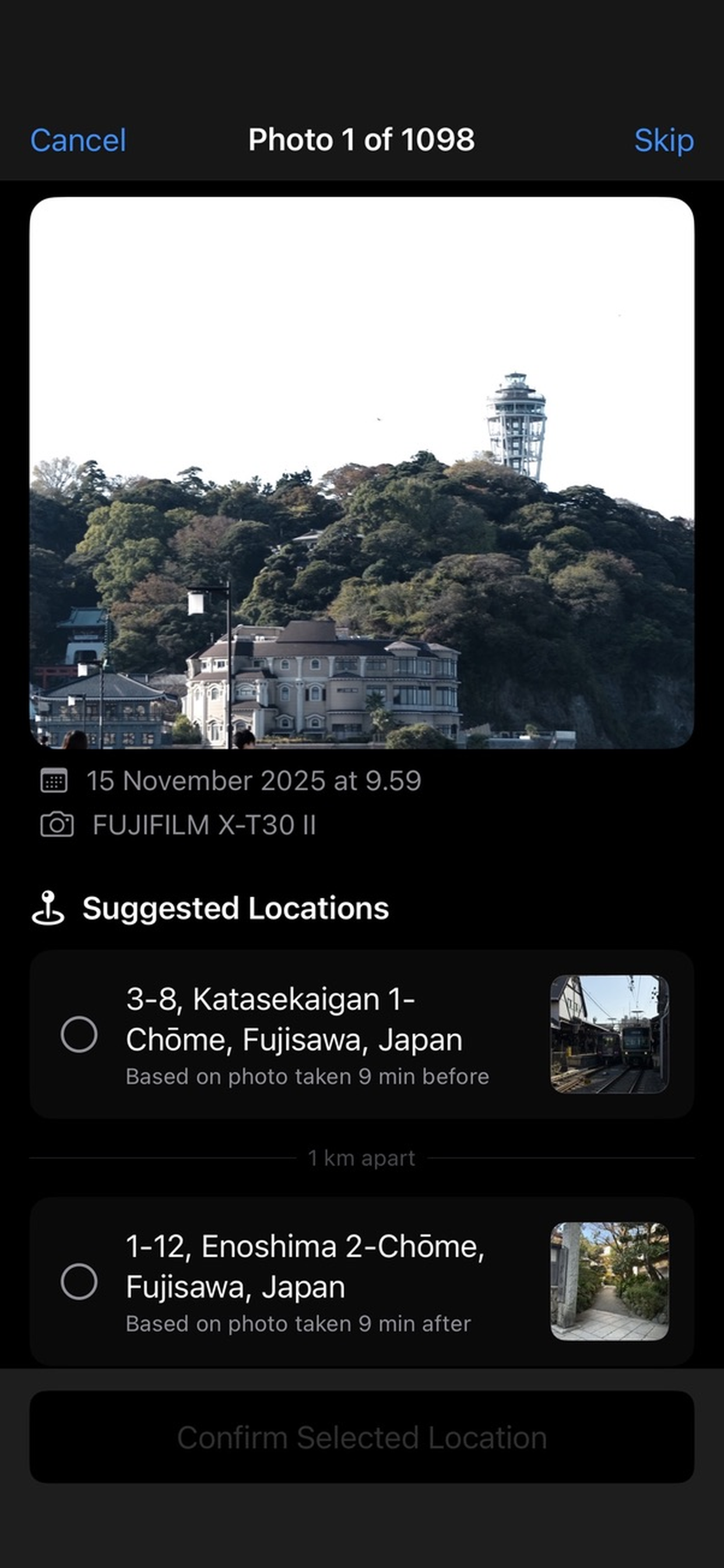
Thousands of photos in your library might be missing location data — and you'd never know unless you opened the map view. PhotoLocationWizard scans your library, finds the gaps, and suggests where each photo was taken based on the ones around it.

Smart suggestions

Looks at the geotagged photos just before and after — and pinpoints the most likely location for the gap in between.

Batch mode

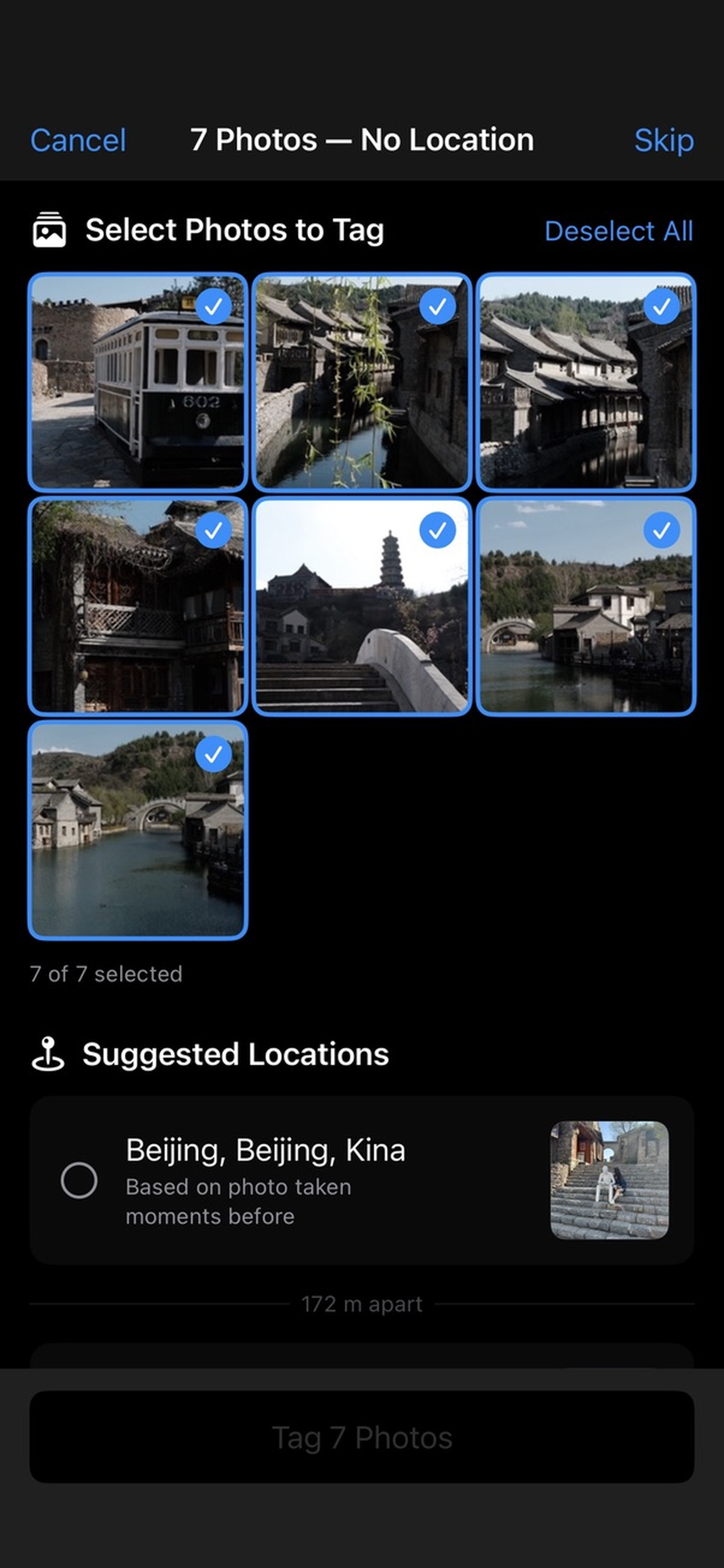
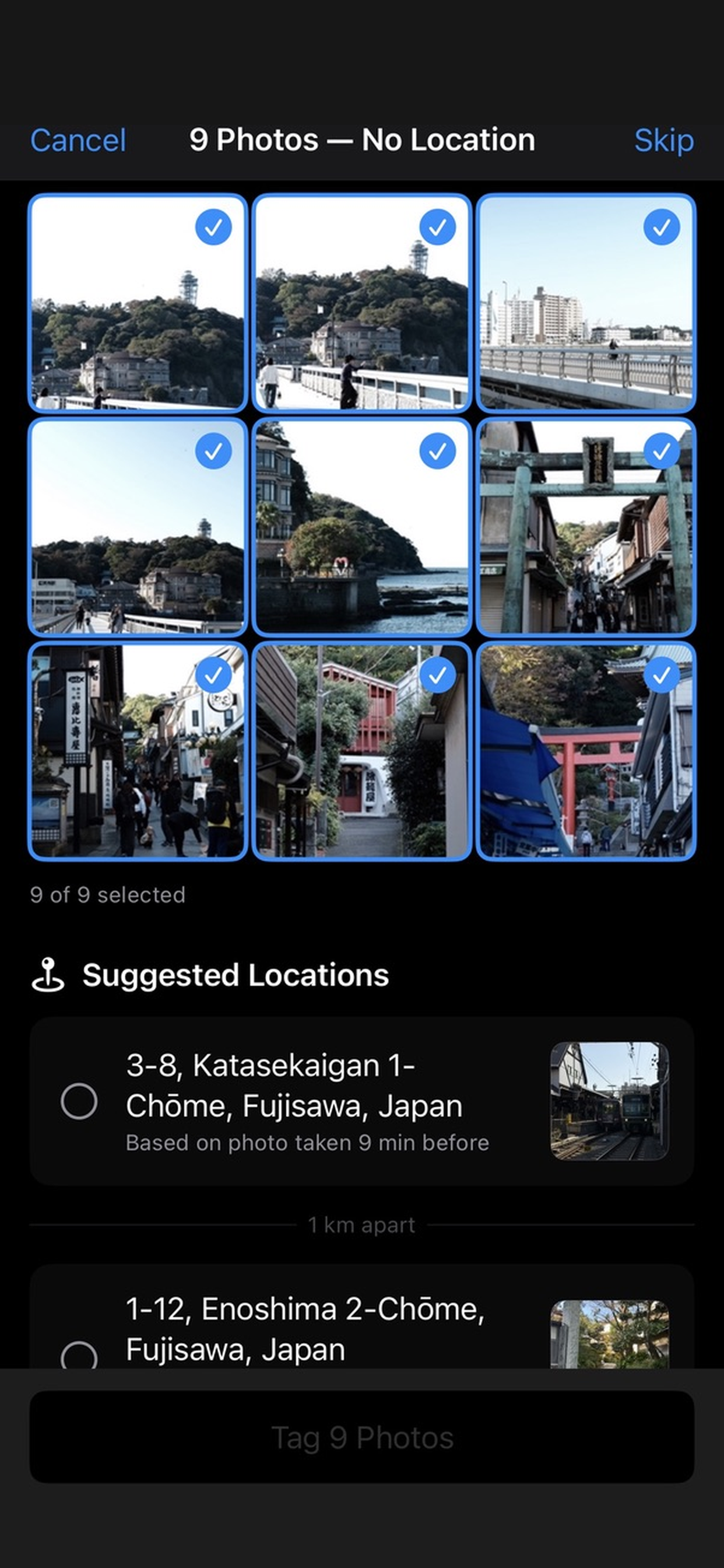
Tag up to 9 photos at once when a group was clearly taken in the same place. Review, deselect outliers, confirm.

Fixed locations

Save places like Home or Work once and tag photos you know belong there with a single tap.

Stays on your device

Everything happens locally. No photos uploaded, no analytics, no accounts. Your library is yours alone.

See it in action

A guided wizard walks through each photo or batch. Confirm, skip, or save a new fixed location — then move on to the next.

Photo Location Wizard suggesting a GPS location for a photo missing geotag data Batch mode adding a location to multiple photos at once Map view showing suggested photo locations Dashboard showing how many library photos are missing location data

Get it on the App Store

No sign-up. Works with your existing Photos library.

Download on the App Store